

Recently Nils and Kristian, my colleagues who help our Enterprise Customers Operation Teams when there are serious Exchange problems, told me about a case where the mailbox of a user reached the 100GB limit of his Exchange Online Mailbox. The user tried to delete stuff, but that was also not possible…...

Recently Nils and Kristian, my colleagues who help our Enterprise Customers Operation Teams when there are serious Exchange problems, told me about a case where the mailbox of a user reached the 100GB limit of his Exchange Online Mailbox. The user tried to delete stuff, but that was also not possible…
To keep your attention I will skip a big part of my initial introduction which explains how this situation leads us to write this article. (If you read the headline and think about the error, you might have an Idea of what happened. If you’re interested in it you might check the appendix.)
In general, when we talk with our customers about retention, the requirements that the customer brings in are often broad and not only about audit-proof/legal archiving. For example, they want to retain items to allow long-term recovery possibility (backup & recovery requirements), or they want to relieve primary storage. It is important that the customer clearly defines which legal requirements they have and which functional additions they want to address additionally. Then you try to categorize them into their category (e.g. archiving, backup & restore, user self-service improvement), to be able to handle them accordingly. Maybe you can solve the different requirements all with one approach, but it’s important to have the requirements clear to be able to change the scope of the solution in the future.
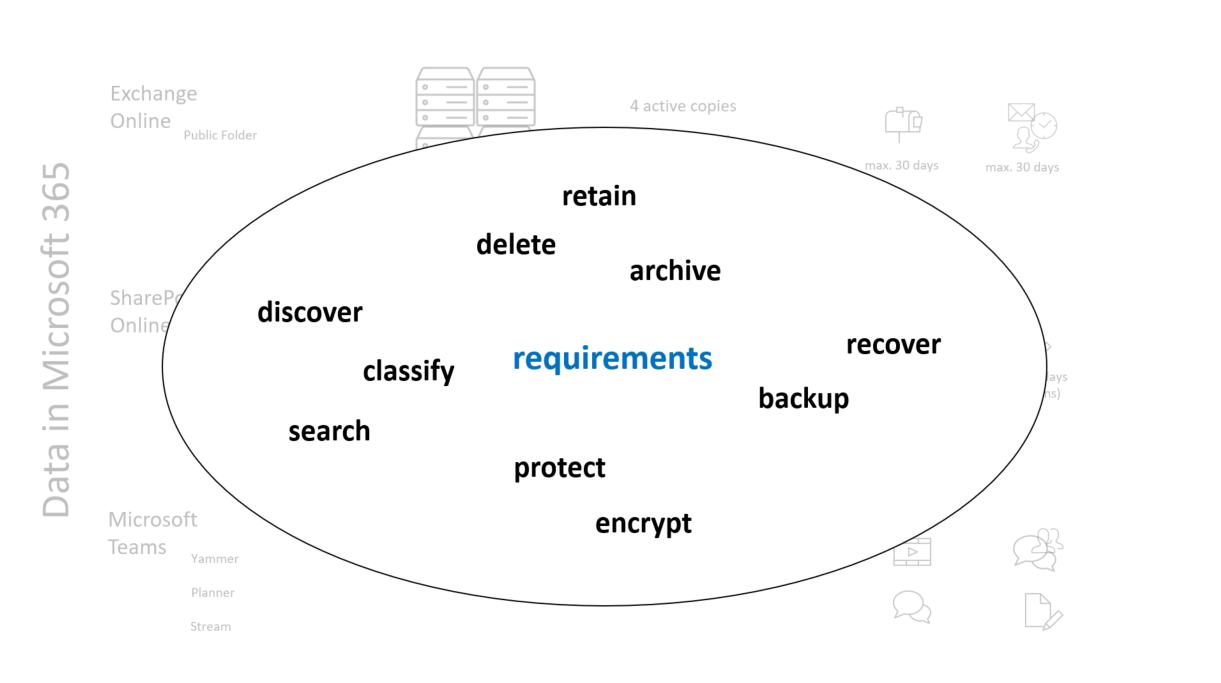
But this article is not so much about defining the requirements, it was written to help admins and other IT staff to understand the different possibilities to fulfill the collected requirements.
Following we will explain different technologies that were used by our customers to fulfill Exchange legal archiving requirements. You will see that some of them are not built for it, but nevertheless, I’ve listed them because they were often included in the game somehow.
Exchange MRM
Exchange Message Records Management distributes Tags to Mailboxes which could be used in an automated or interactive way to delete tagged items after a specific time period. Alternatively, messages tags can also result in moving the tagged items to the user’s archive mailbox
The default Junk-Mail rule which deletes all mails older than 30 days from the junk mail folder is based on MRM technology
Personal help to automatically delete informational emails like Message Center notifications
MRM is a well-known and mature method to organize mailboxes. This technology is only feasible for Exchange mailbox items
MRM is not really helpful if you try to achieve legal retention requirements, it’s more about organizing and cleaning up mailboxes.
Exchange Litigation Hold
This Mailbox Setting enforces the preservation of all mailbox items for an unlimited or a specific time range. The items were preserved in the original mailbox.
Customers often use this method as an easy but not well-thought approach to solve GoDB requirements. For example, you will get in trouble if you’re using this approach and there also exists PII Data (think about GDPR) in the targeted mailboxes.
Journaling
Every incoming and outgoing mail will be ‚copied‘ into a journal mailbox.
This journal mailbox is not allowed to be stored in Exchange Online.
Journal Archives were often combined with third-party archiving solutions that can be used to retain the data as needed.
Another often used approach is to create one journal mailbox per year/month and use those mailboxes to retain.
The journaling repository needs to be outside of M365. This Method only extracts data from Exchange Online to anywhere.
„Anywhere“ you then have to care about classifying, retention and deletion.
In-Place Hold
An administrative action enforces the preservation of items that fit a search query. The items were retained for a specific time or until the time-based hold is over.
Customers use this method for legal case handling. Something has happened and all related communication should be preserved until the case was closed.
This Exchange-only content hold method is deprecated. Soon you will use an M365 eDiscovery (Standard) case to get this done. The functionality for Exchange content is the same.
M365 Retention Policies
M365 Retention Policies allow retention and deletion in various containers. One targetable container is an Exchange Online Mailbox. By applying retention policies to a container they can result in different retention settings for different information types inside the container
Our customers use this as a replacement for the MRM Method which can not enforce retention.
A basic retention and deletion Feature with a small policy set to fulfill basic legal requirements.
Only retain specific Mails, identified by a keyword for a specific period.
Delete PII in specific mailboxes after a period of time.
Retention Policies can be used for Exchange, Teams, SharePoint&OneDrive containers.
M365 Retention Labels
M365 Retention Labels, combined with Label Policies allow to retain and delete content based on labels that were assigned manually or automated to single items within a mailbox.
A big difference to retention policies is the possibility for user interaction. Another is the fact that the labels travel with the labeled item. This point is valuable if you want to retain e.g. SharePoint Content, in Exchange, this advantage is not really feasible because forwarded or answered emails are new items that have to be labeled again.
We’ve seen/implemented this method for customers that want to enable users to choose and enforce different retention/deletion times to their content.
If a company and its users have already practiced using labels (e.g. they already use sensitivity labels to protect documents) it should be not so hard to implement this approach. If not, implementing this method can result in a project not being underestimated.
Retention Labels can be used for Exchange Online, Office 365 Groups, SharePoint & Onedrive. If you use them for all these services and the included data they can be really powerful.
Non-listed Exchange features
As you see there are a lot of possibilities that can help you to fulfill Exchange retention requirements. Maybe you miss the options In-Situ Archiv and the Outlook Archiving Feature. I don’t list these options because from my point of view they do not fulfill any retention requirement. The In-Situ Archiv is just a secondary mailbox that users can use to handle huge masses of emails (1.5TB). The Outlook Archiving Feature is also just a method for users to organize the mailbox by providing them a folder named archive and a button that moves emails to this folder. Both options could be combined with MRM, but they are no solutions that I would list here seriously.
Third-Party Software
Of course, there are a lot of third-party tools available out there to fulfill exchange requirements. There might be reasons why you should also consider them. Reasons for that could be that you need strictly separated management, integrated Line of Business Apps, and a specific repository (location). Also, the combination of journaling and third-party archiving software is often used.
But in General, I see big advantages in using the built-in retention features, especially M365 Retention Policies and Labels. The biggest advantage – in my eyes – is that the data is never leaving its boundaries which is great from a data protection perspective. Another reason is cost. Often we see that customers were using M365 E3 Licenses without using all features that are available within. With the E3 you already have a lot of the features listed above licensed. Mostly it’s less expensive to use the Microsoft Licenses to retain data, instead of buying additional third-party licenses. Other cost considerations of third-party systems are the operation costs. You need additional storage, application servers (or services), and trained admins and users to operate them.
Summary
Exchange MRM and Exchange Litigation Hold are valuable and well-known tools that Exchange admins use for a decade. Unfortunately, they were often misused and do not really help if you need to fulfill legal archiving requirements.
Journaling and In-Place Hold (or eDiscovery Hold) could be parts of an earnest archiving approach. The Journaling approach is also often not thought through to the end. It’s hard to build up a system with this option that supports different retention times, handles exceptions, and fulfills auditors‘ requirements. Mostly you have to use a third-party archiving tool additionally here.
Microsoft 365 Retention Policies allow you to build up a strong archiving solution. It’s easy to find a start here. It’s a kind of MRM 2.0, with the big advantage that you can also handle information and data included in other M365 Services.
Microsoft 365 Retention Labels are the premier class in Microsoft 365 Information Governance. With a specific regulatory record, paired with the eDiscovery Suite label this method is nearly bulletproof. If you have to handle more than just Exchange, and you are aware of what a labeling technology means for your users, the business, and the project plan, you should try to use retention labels and label policies to fulfill the requirements.
Here is a try to break the whole content down to one table, maybe this helps you to „retain“ the overview:
More information
Maybe you want to dive deeper into specific approaches. Here are some valuable Links which you could use:
Service Description: The Exchange Online Service description contains information which plans you need for the archiving possibilities included in Exchange Online: Exchange Online service description – Service Descriptions | Microsoft Learn
Compliance Licensing: This docs article explains the license requirements for various M365 compliance Features: Microsoft 365 guidance for security & compliance – Service Descriptions | Microsoft Learn
Compliance Licensing Comparision: An Excel Sheet with Links and licensing requirements notes for various compliance tools: microsoft-365-compliance-licensing-comparison.xlsx (live.com)
Functional Differences between Retention Labels and Policies: Learn about retention policies & labels to retain or delete – Microsoft Purview (compliance) | Microsoft Learn
Joanne C Klein’s Blog: If you’re interested in more than just retaining Exchange content, you should use definitely know Joannes Blog Joanne C Klein – Compliance in Microsoft 365. Here you will find very valuable real-life information about M365 Retention Policies & Labels.
Appendix
As spoilered before I want to explain the motivation for this article. To repeat:
A User reached the 100GB Limit of his Exchange Online Mailbox. The user tried to delete stuff, but that was also not possible.
How on Earth the user has, you might ask yourself as an Exchange Admin, got this done. It was a tricky situation. The user’s mailbox in Exchange Online was enabled for litigation hold. The user was responsible for a shared Mailbox on an Exchange OnPrem Environment. He cleaned up this „well matured“ > 100GB in preparation for a migration to Exchange Online.
He was able to identify and delete masses of items in the mailbox one day. The next day he received a system notification that informed him that his personal mailbox is full and under limitation now (Exchange Online limits – Service Descriptions | Microsoft Learn).
„Ok, no problem! I’m experienced in cleaning up mailboxes“, he said to himself and started to tidy up. Unfortunately, he wasn’t able to do this. Every time he tried to delete something from his mailbox he received an error message.
The reason for this stalemate situation was first, the fact that the deletion of items in a shared mailbox, uses the deleted items folder of the processing user. And second: The mailbox of the processing user was enabled for litigation hold. So the Exchange Service could not clean up messages in the deleted items folders to allow new items to be deleted.
Because of that finding and an ongoing Teams Project where we also have to deal with retention requirements, we discussed the topic again in general with the customer. I must say, also if I have a lot of experience with retention requirements and solutions, especially within the Microsoft cosmos, I’m still confused sometimes about the different methods, their requirements, technological specifications, and license requirements. This blog article should help to clarify the options which were available with their pros and cons. It’s focused on the retention of Exchange Content, but also includes notes about their role in the M365 Context